FB22209008 — Xcode Source Control Navigator keeps listing deleted Git branches even after Refresh File Status
Problem
Deleting a Git branch outside of Xcode — for example via the command line or another Git utility — does not remove it from the Source Control Navigator branch list until Xcode is restarted.
Steps to reproduce
Start with a project that has a Git repository.
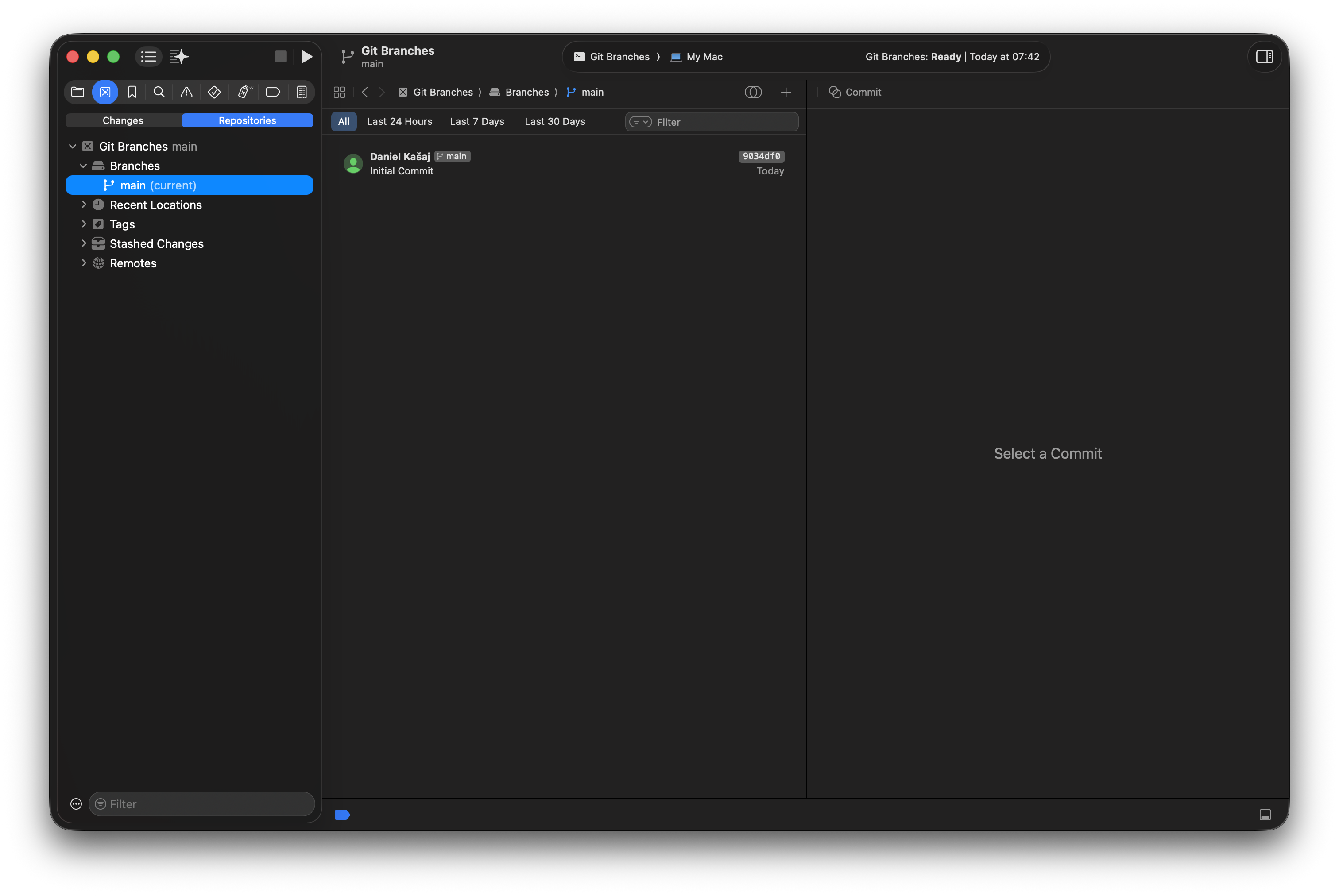
Create a new branch.
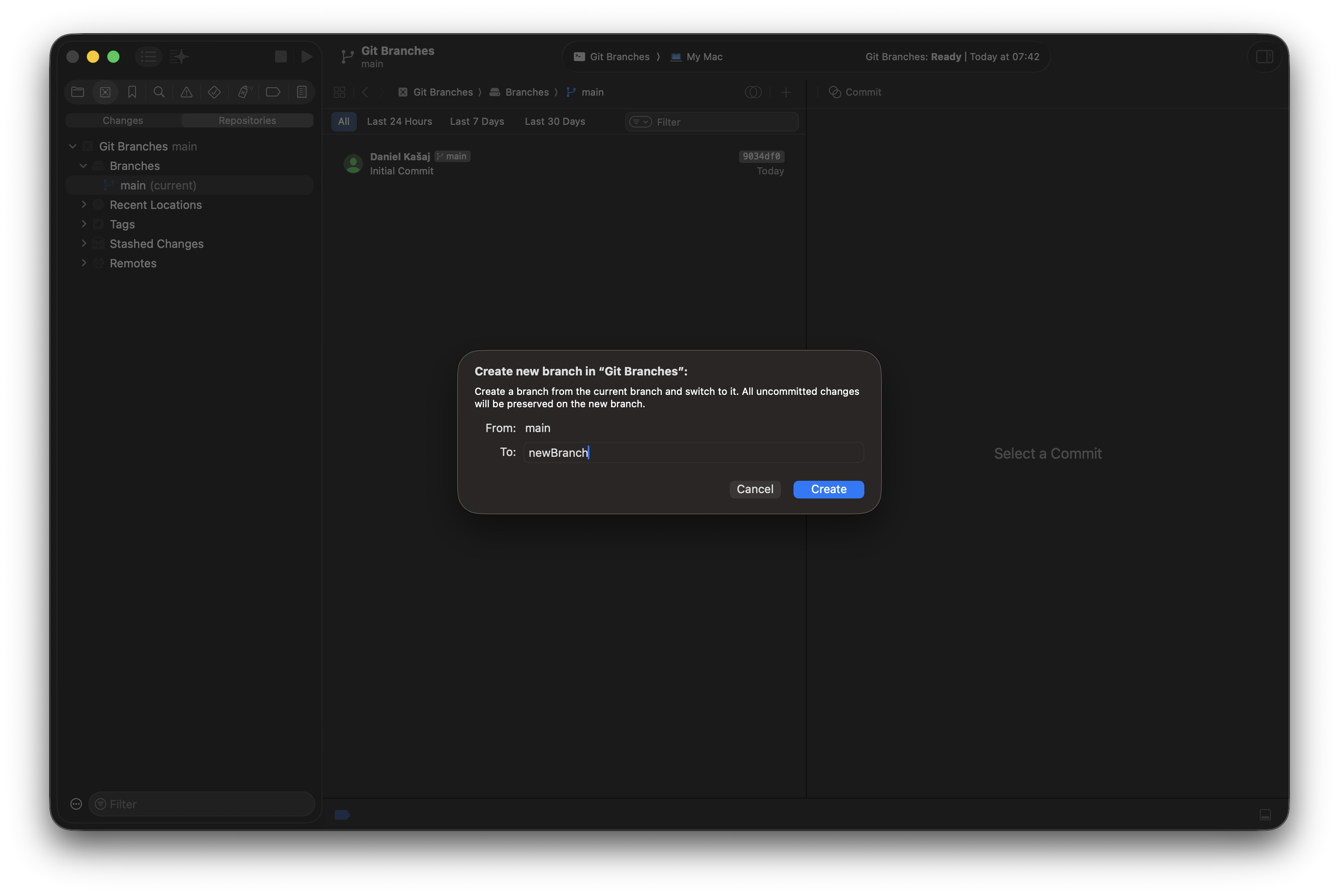
See the new branch appear in Source Control Navigator → Repositories → Branches.
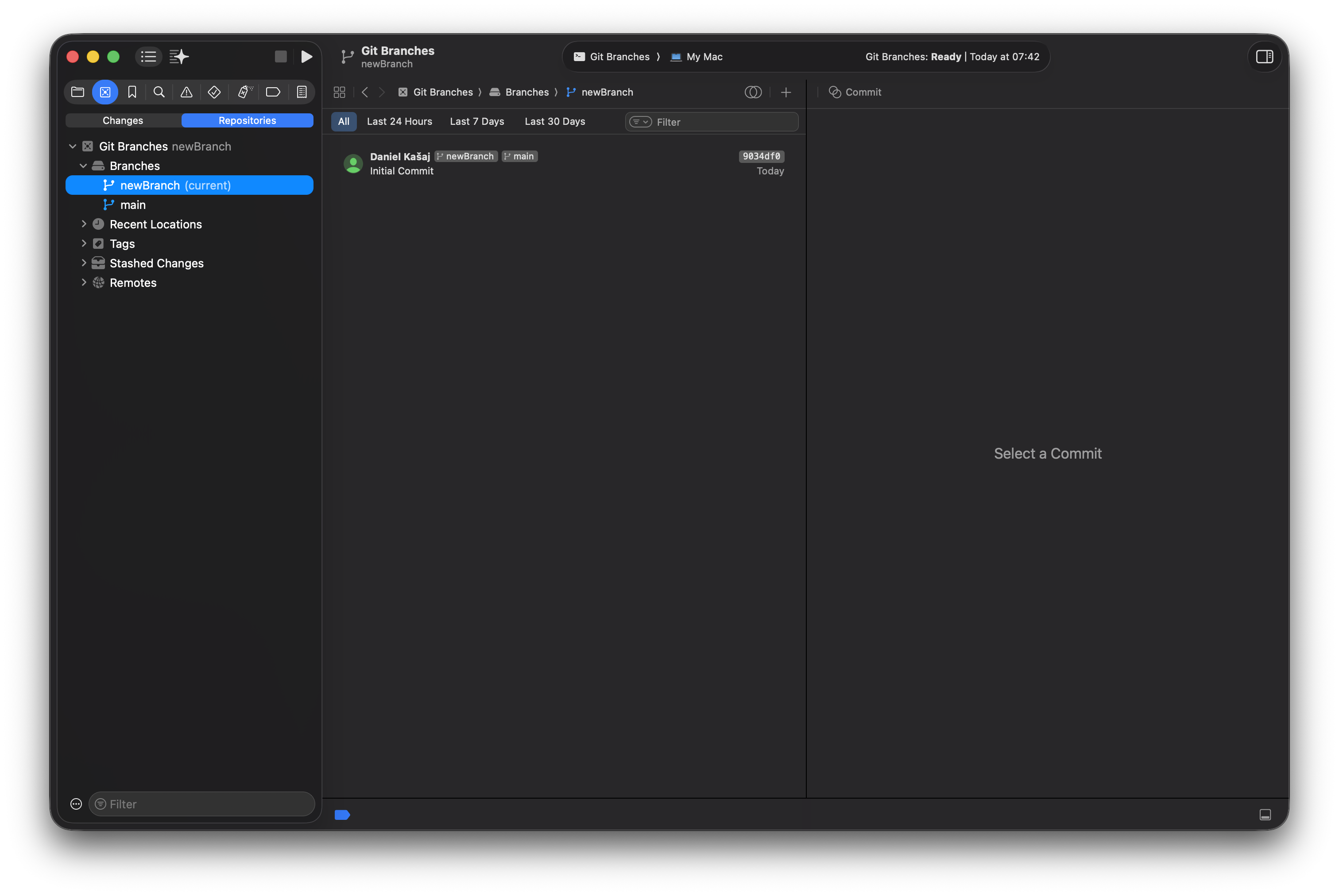
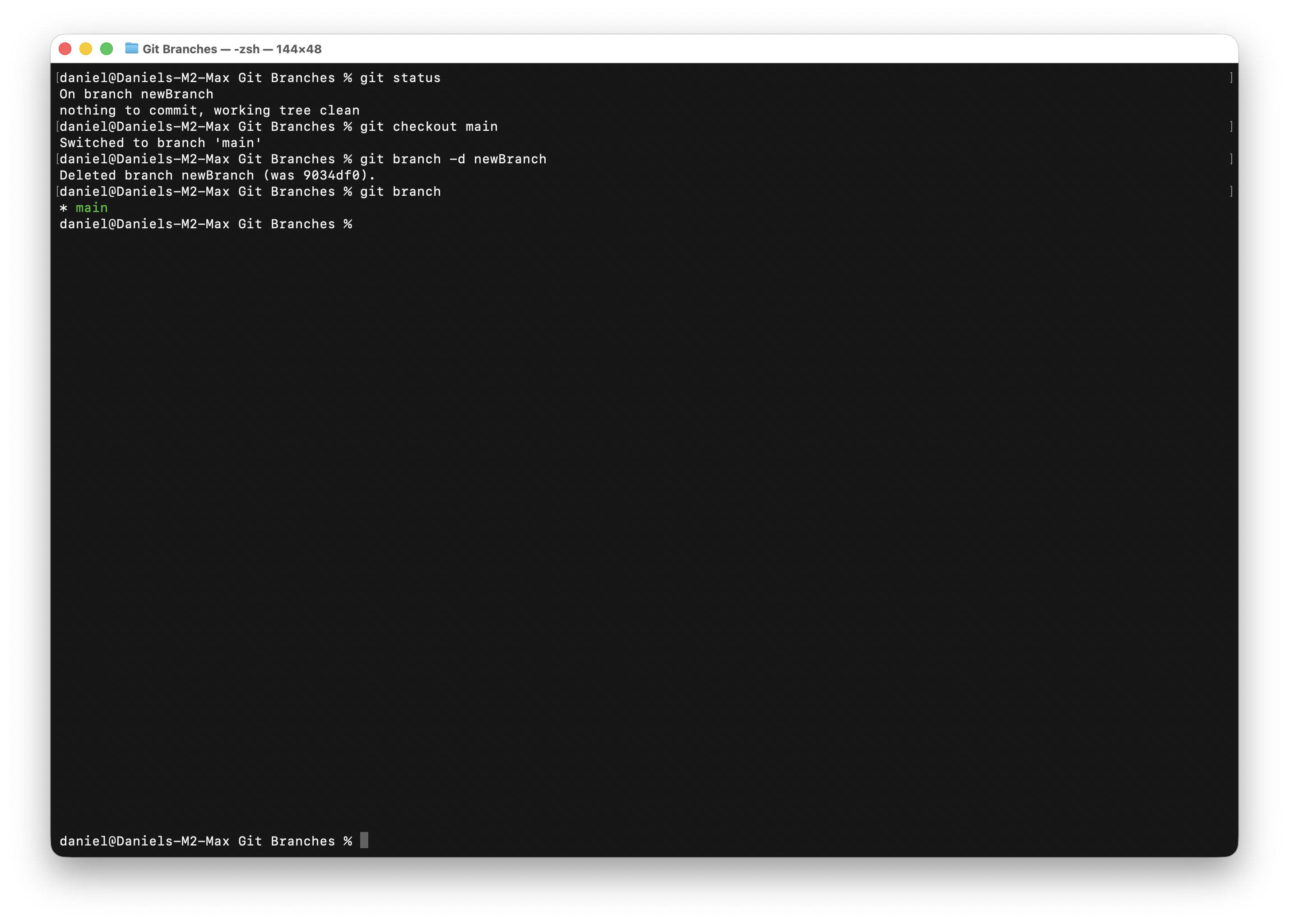
Use the command line or any Git utility to switch away from that branch and delete it.
Return to Xcode. It correctly marks the current branch — but the just-deleted branch is still listed, and may even be labeled as "current".
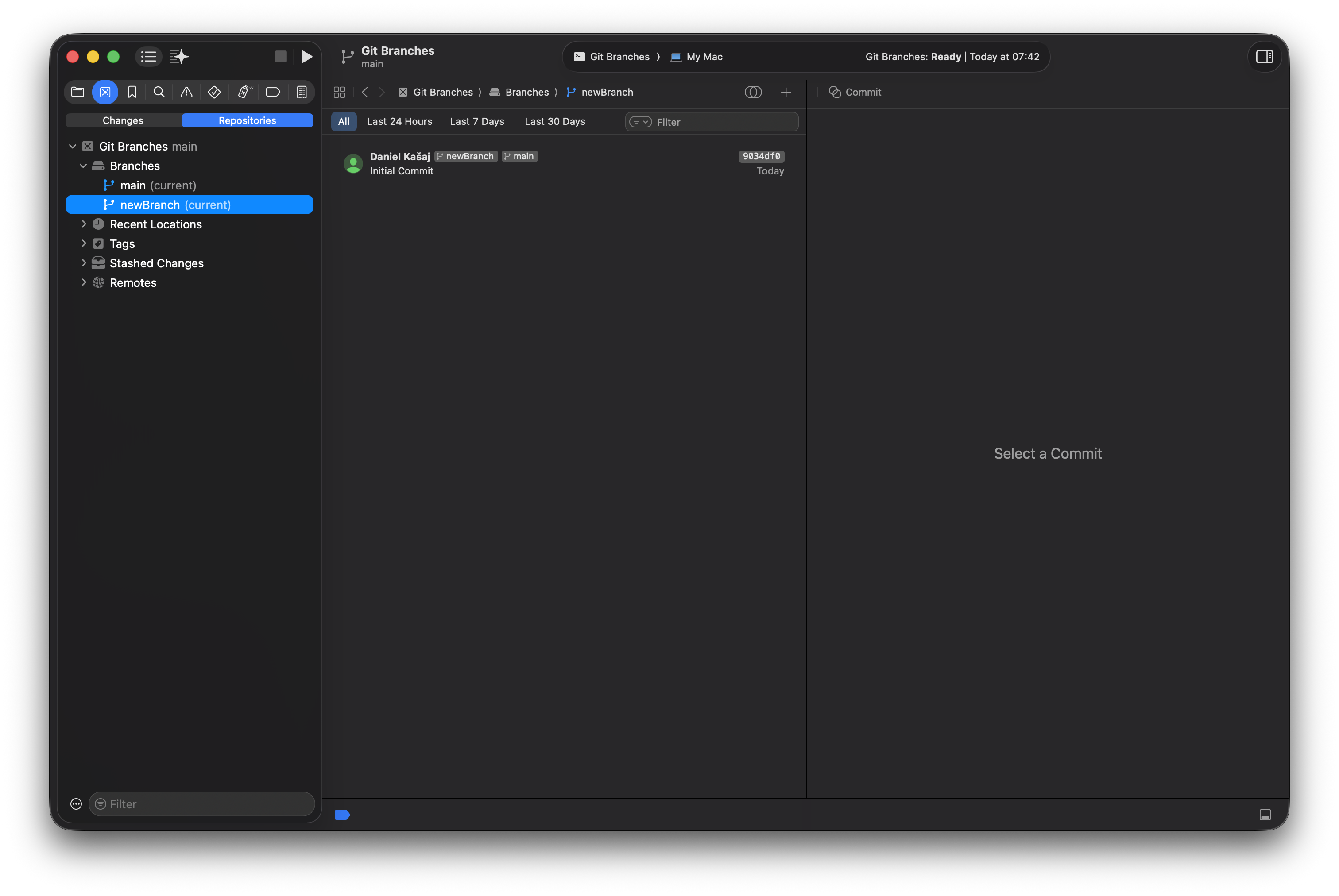
In the Integrate menu, click Refresh File Status. This normally syncs Xcode with repository changes — but the deleted branch remains.
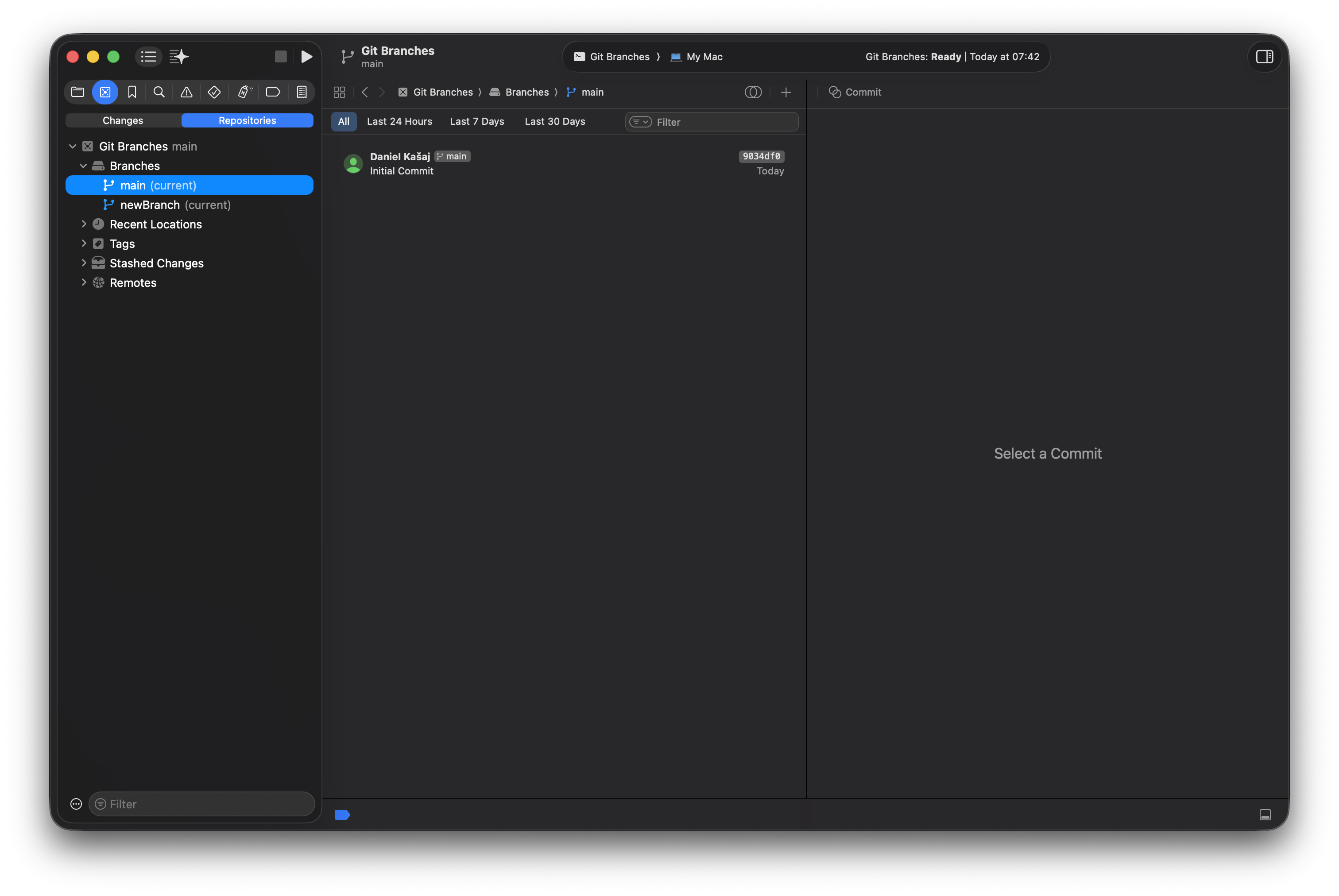
The only way to remove the deleted branch from the list is to restart Xcode.
Expected behavior
Deleted branches should disappear from the Source Control Navigator after Refresh File Status, without requiring an Xcode restart.
← All filed feedback